Listing Film

Turn listing photos into a property video that sells the house.

Drop in 10 to 25 photos. Get a narrated, captioned film in five cuts, from Reels to the MLS. Change anything in plain words.

2 free listings a month · No card · Sign in only when you press create

Rendered by Listing Film from 17 listing photos of a real home. No video footage, no shoot. Address and price are demo details.

5 cuts

9:16, 4:5, 1:1, 16:9 and MLS

10 languages

every voice speaks all of them

Depth motion

no invented windows

Plain words

"open on the pool" is an edit

Photos in, film out

17 photos went in. 11 made the film.

These are the photos each demo film was made from, in the order they were uploaded. Greyed out ones were left out. Tap any other photo to jump to its shot.

17 photos uploaded, in camera order

11 used · 6 left out

The planner left out near duplicates and weaker angles, put the strongest photo first as the hook, and ordered the rest the way you would walk the house.

Shot 1 of 11

Outdoor, push in

Three homes, every cut

One edit, reframed for each screen.

Pick a home and a cut, and press play for sound. Four cuts are shown here; every film also gets a 4:5 portrait cut for Instagram and Facebook feeds.

Home

Cut

27 Whitmore Orchard Road, Lake Forest, IL 60045 · $2.95M · 5 bed · 4 bath. Demo address and price; the photos are of a real home.

How it works

You bring the photos. We make the edit.

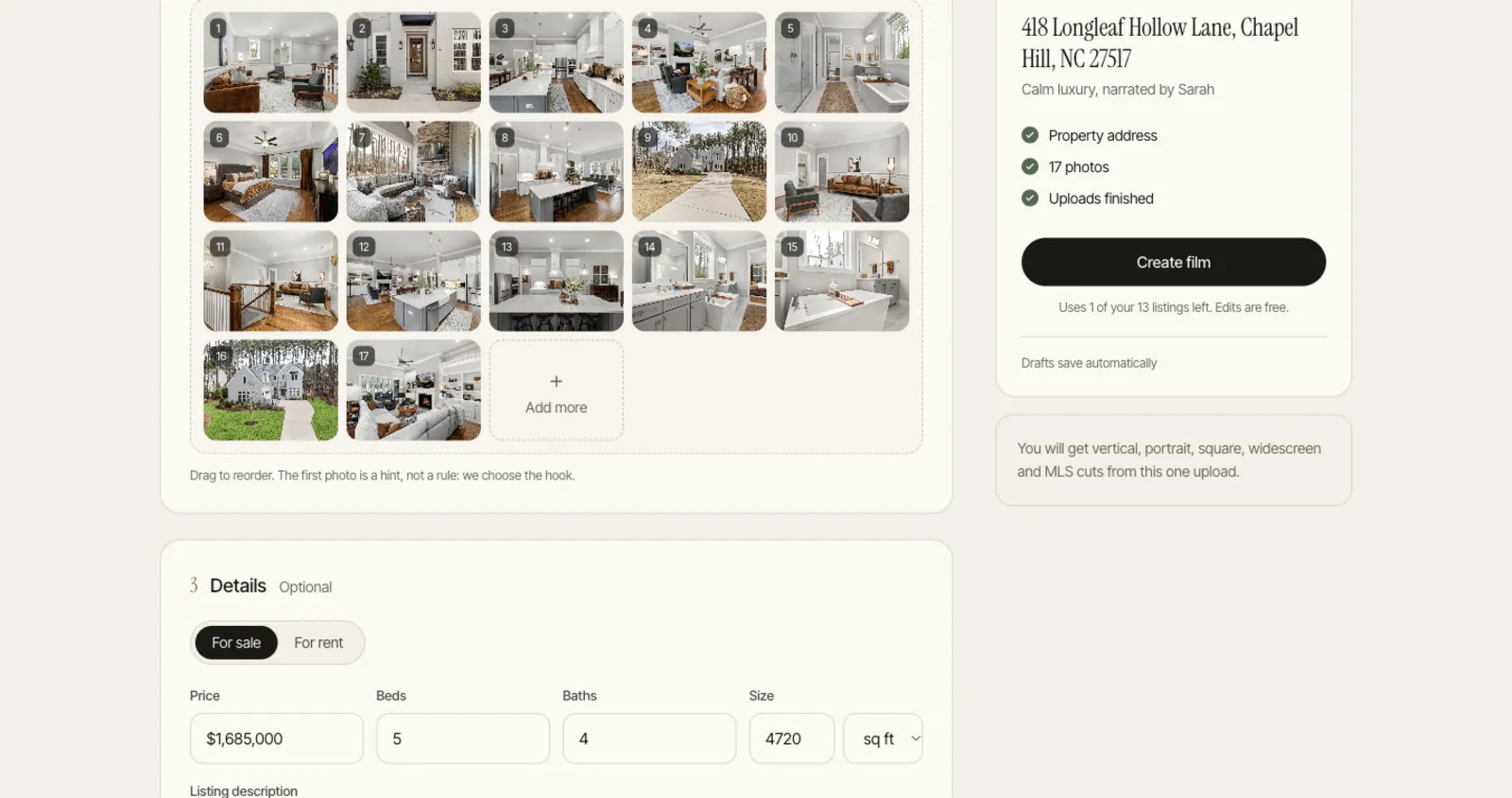
propertyvideogenerator.com/create
The create screen with 17 listing photos uploaded and the listing details filled in

Real screens from the app, with a demo listing.

What is inside

The film, and everything around it.

Photo edits, narration, a page for the listing and a caption for each platform, so the film does not need four other apps.

Story, not slideshow

Open on the fireplace, not the front door.

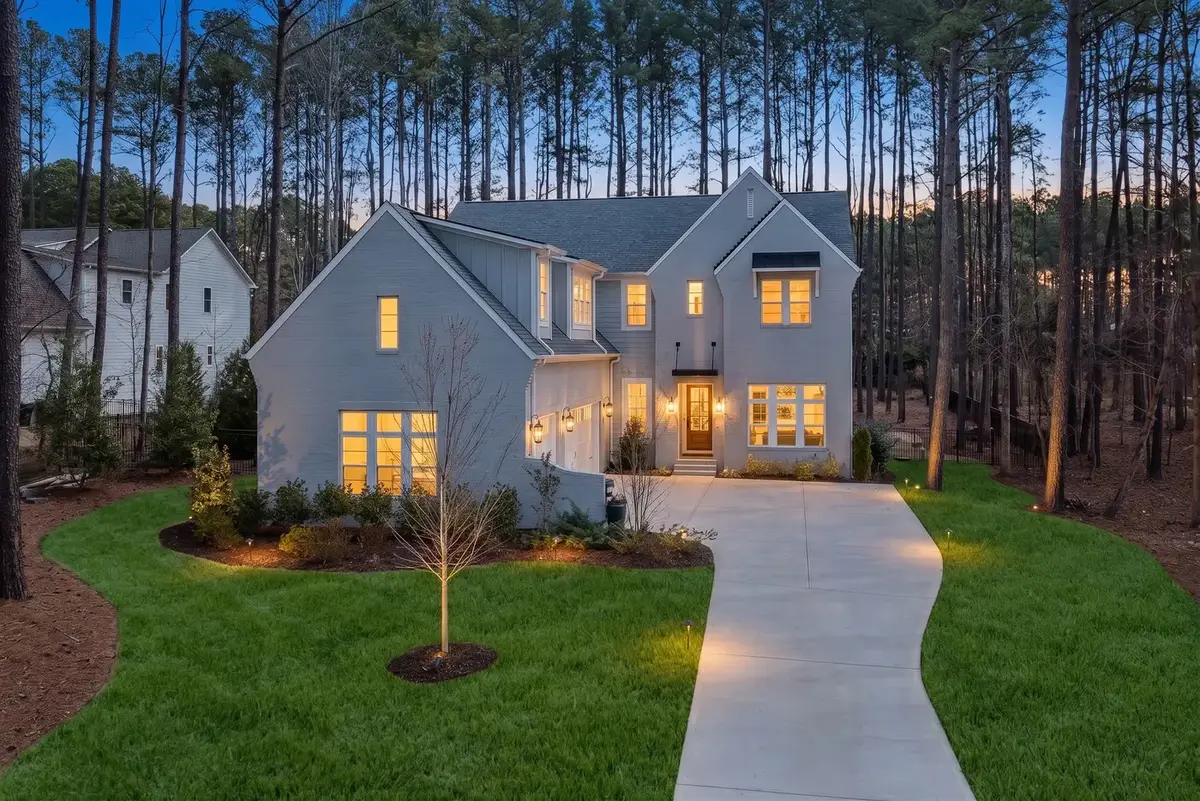
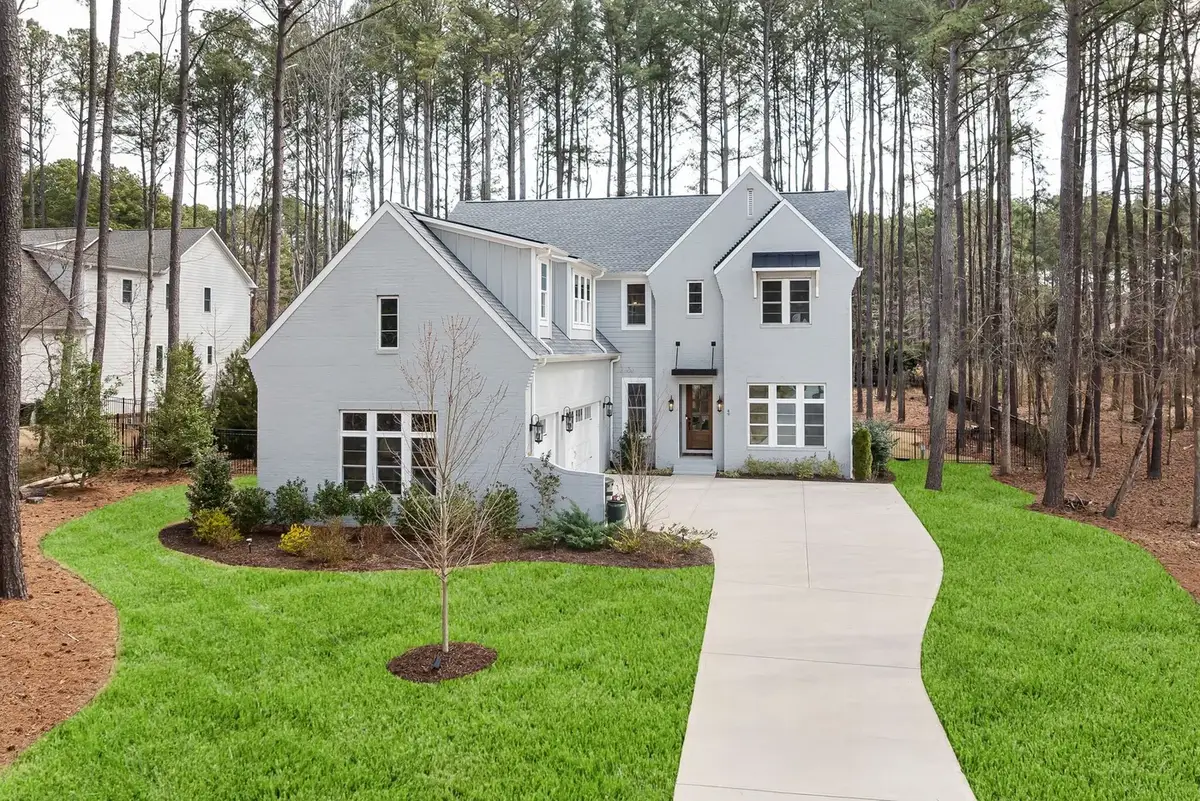
The best shot goes first, with a line written for it. After that the film walks the house, holding the rooms that matter and moving fast through the ones that do not. This is the real shot list of the house in the pines film.

Shot one, highlighted, is the hook36 seconds, 11 shots
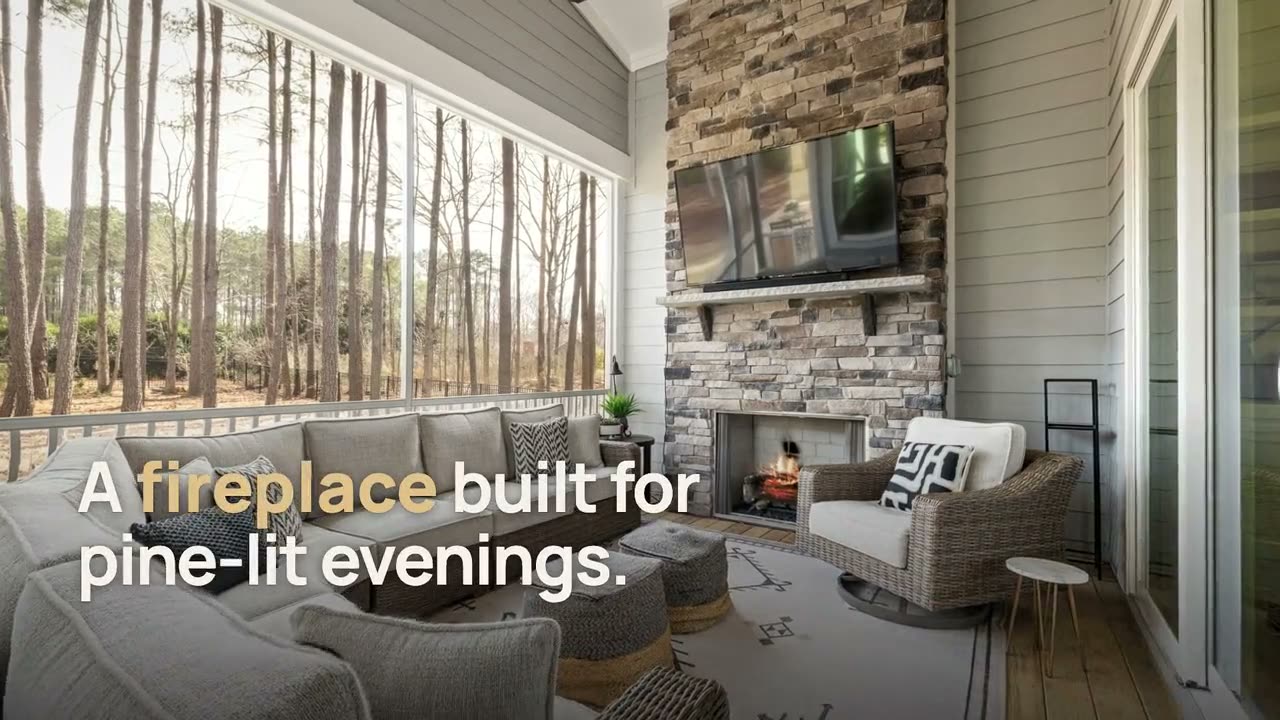
  1. 0:00OutdoorA fireplace built for pine-lit evenings.
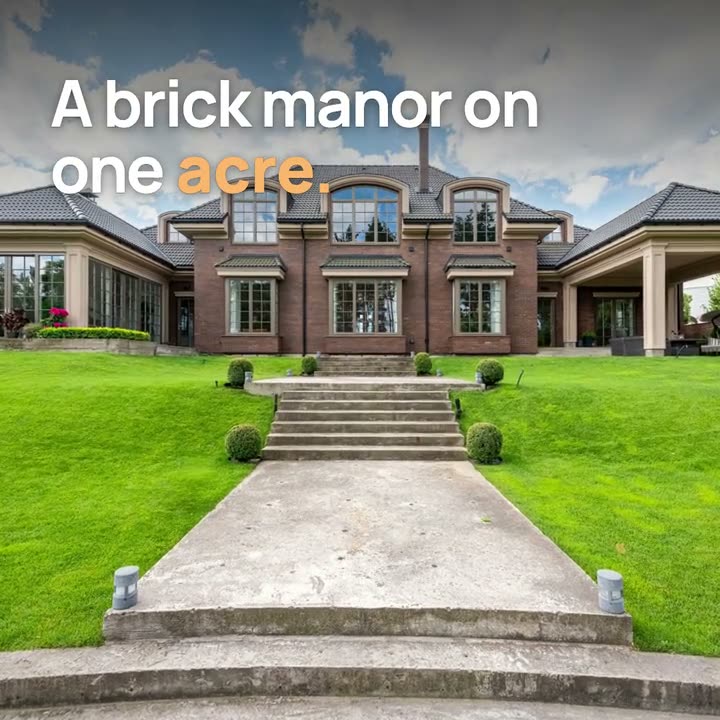
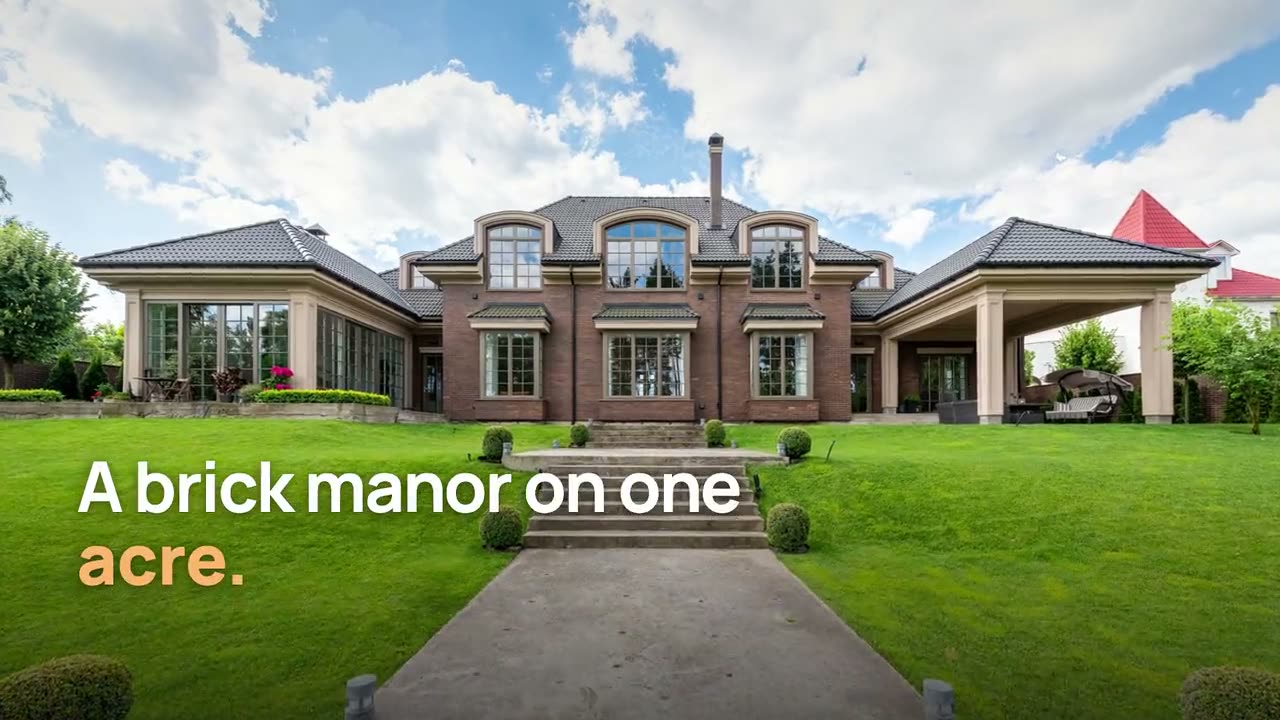
  2. 0:03ExteriorOn one wooded acre of longleaf pines.
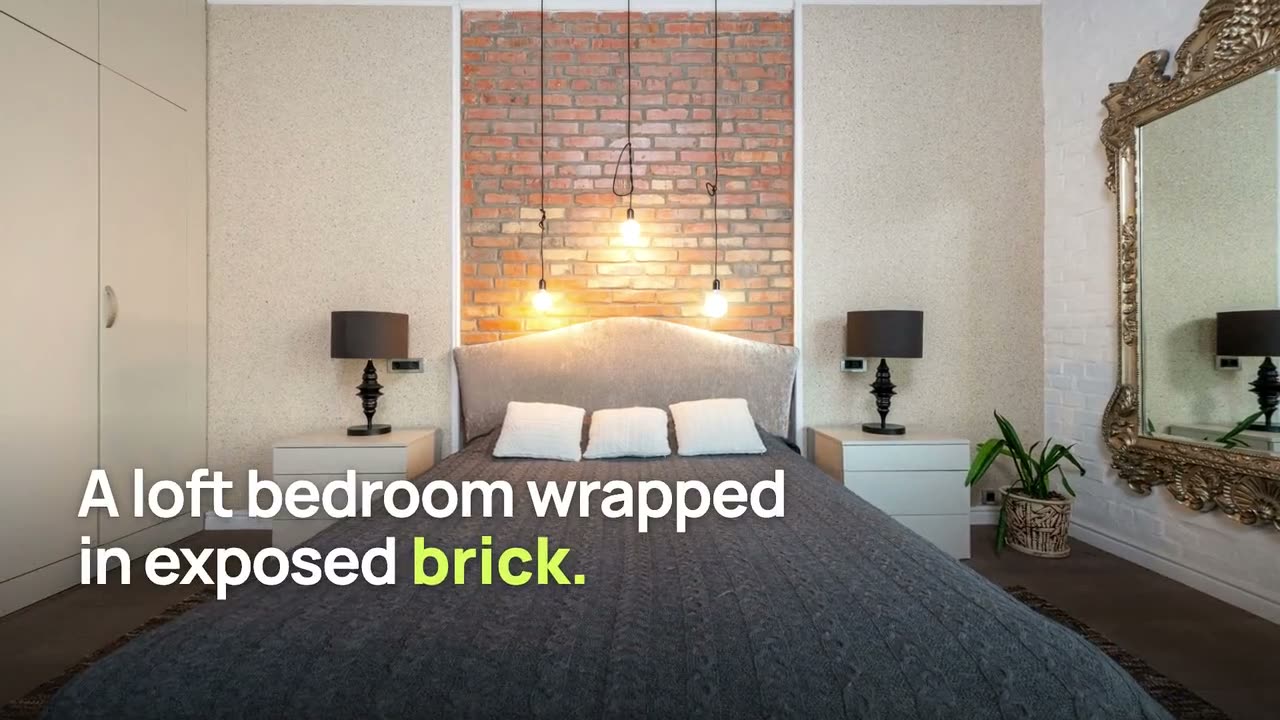
  3. 0:07Living roomUpstairs, a loft lounge with wainscoted walls.
  4. 0:11KitchenQuartz counters stretch across an oversized island.
Motion that keeps the house honest

The house stays as photographed.

Every move is built from depth in the still photo, so the walls and windows are the ones the photographer shot. Paid plans can add a few generated hero shots; each is checked against its photo and labelled in the film.

Voice and captions

Narrated in 10 languages, captioned word by word.

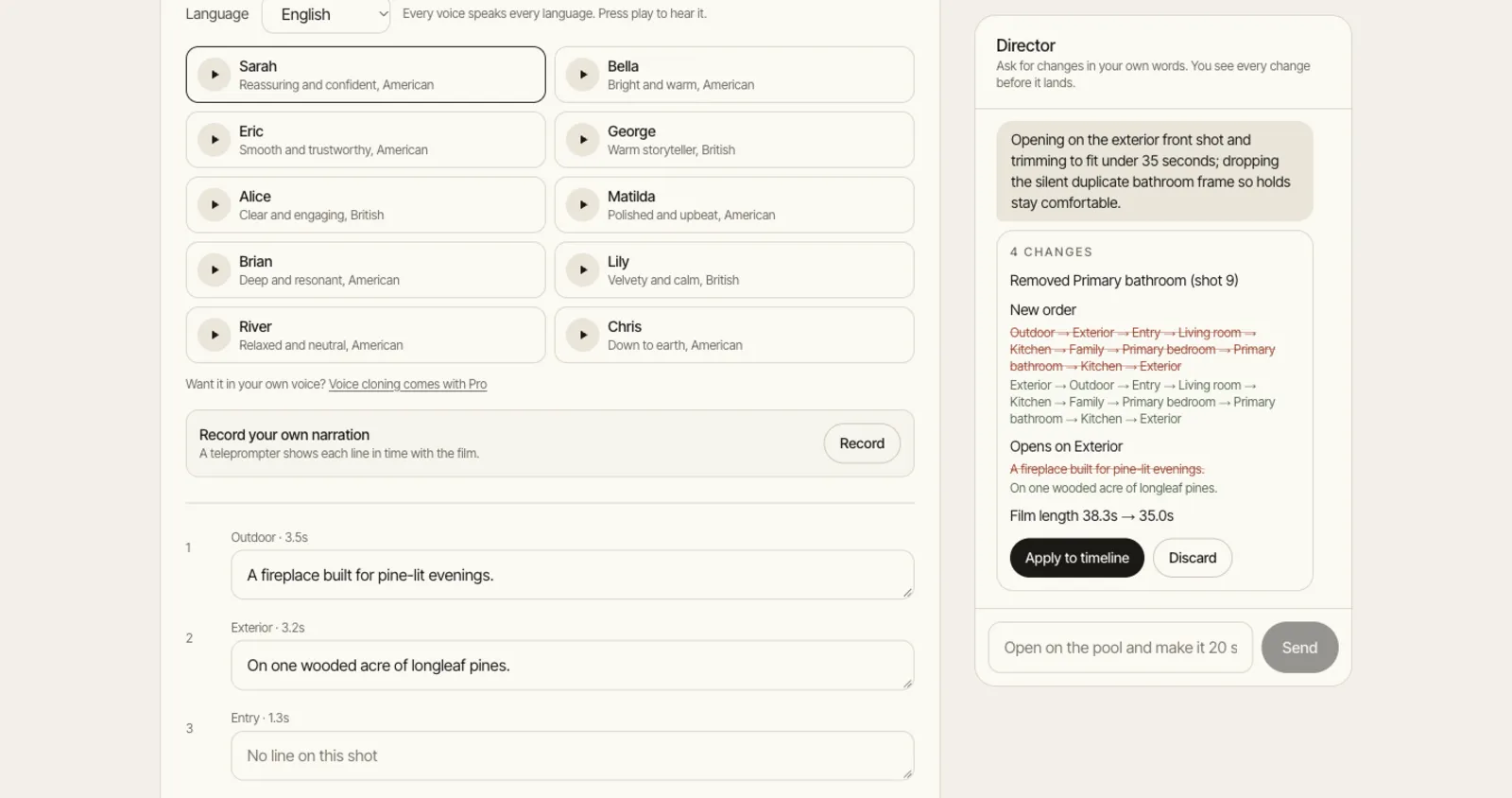
Ten voices, each speaking all ten languages, so a Spanish cut of the same listing takes one click. Or read your own script off the teleprompter. Pro and Studio can clone your voice, after you record a consent statement.

EnglishSpanishFrenchGermanPortugueseHindiItalianDutchJapaneseChinese
The narration panel with voices, languages and a record your own option

Photo tools, with disclosure built in

Twilight, blue sky, declutter, staging.

Type the change or pick a tool, and the film picks up the new version. Edited photos say “Digitally enhanced” and staged ones “Virtually staged”, in the film and on the website. The labels stay on, and your originals are kept.

Front of the house in the pines, edited
Front of the house in the pines, original
OriginalDigitally enhanced

A real twilight edit made with the product. Drag to compare.

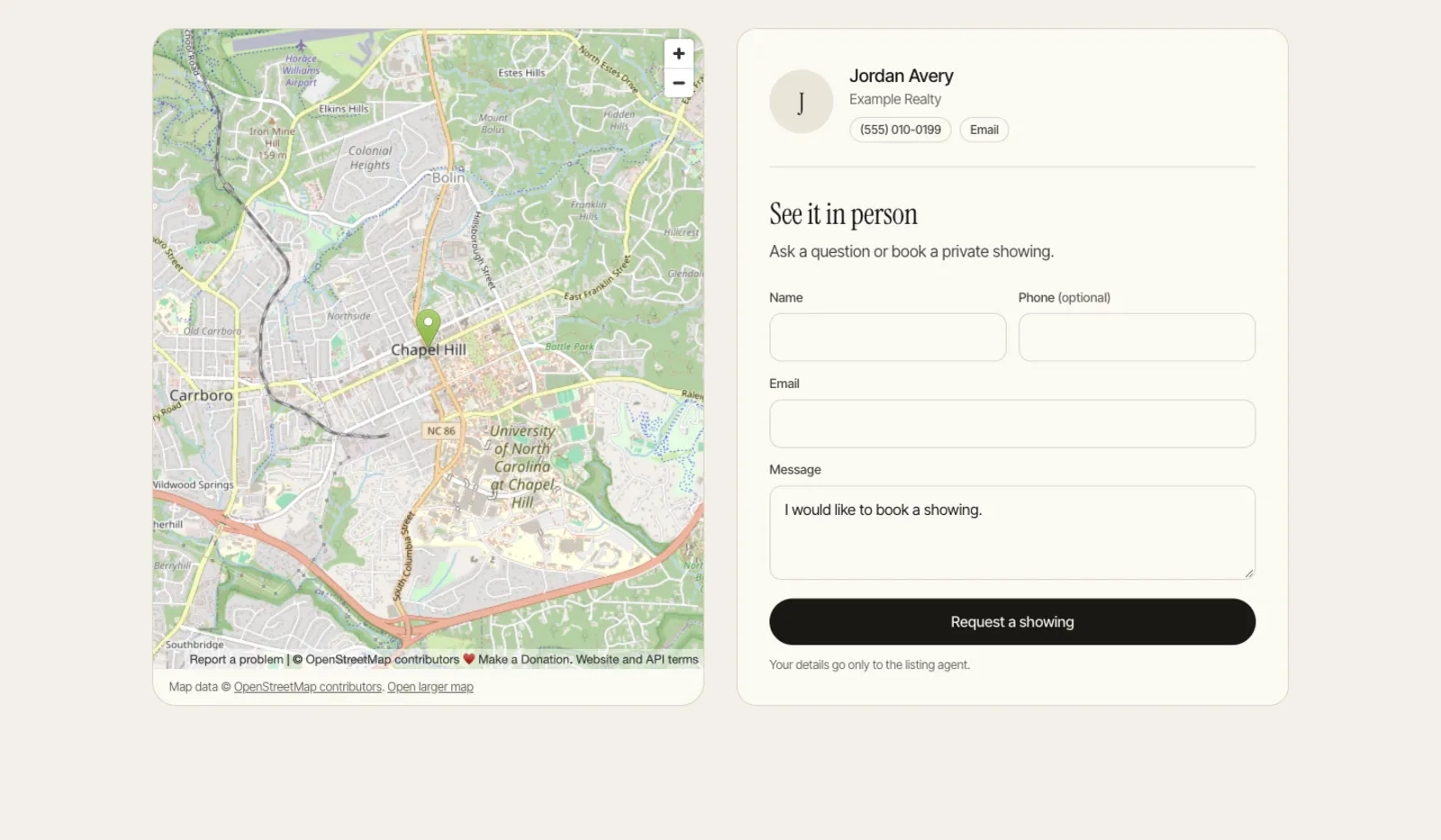
Listing website with leads

A page for the listing, with the film first.

Film, gallery, details, map and a showing request form that lands in your inbox. You see views, plays, how far people watched and where they came from. There is a print-ready QR code for the sign and an unbranded link for the MLS.

propertyvideogenerator.com/l/418-longleaf-hollow-lane
Listing website with a map, the agent card and the showing request form

Posting

A caption for each platform, on a calendar.

Each post gets its own caption. Direct posting turns on platform by platform as each one approves our app; until then you download the cut and copy the caption. We never ask for your social passwords.

  • Instagram Reels
  • Facebook
  • YouTube Shorts
  • TikTok
  • LinkedIn

Five cuts

Reframed shot by shot, not centre cropped.

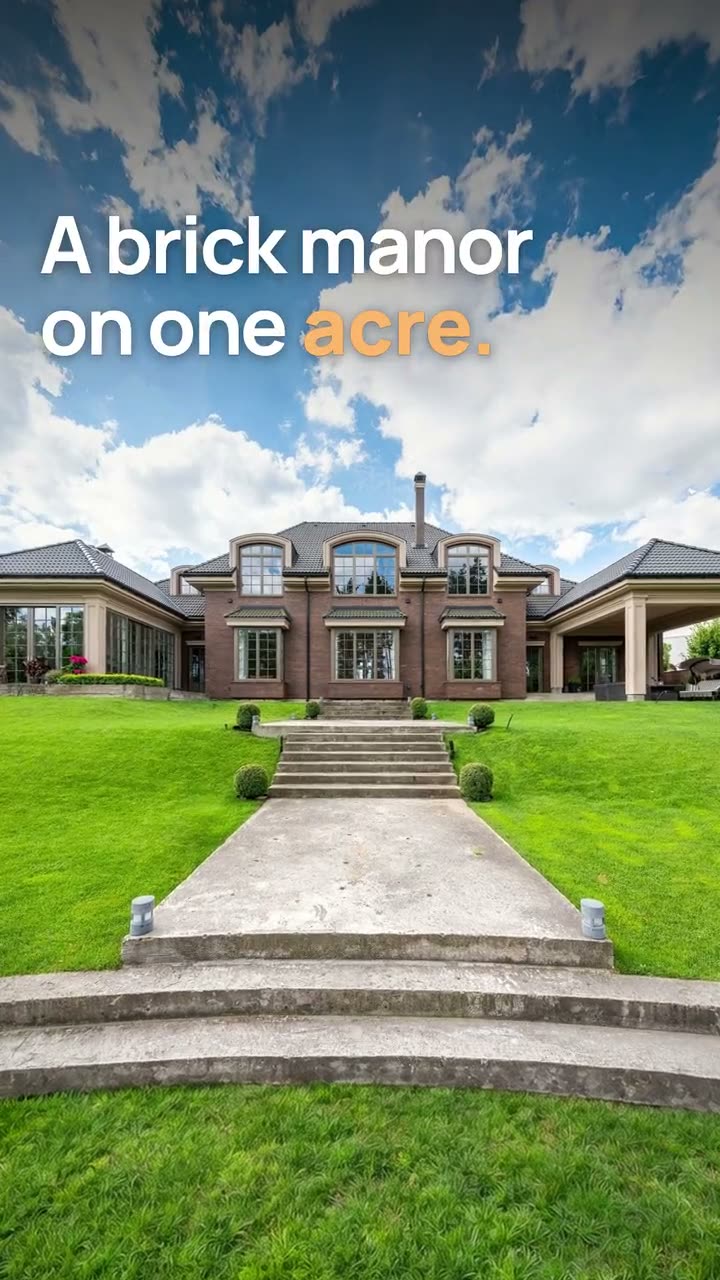
A centre crop of a wide living room loses the sofa and the windows. Each cut is composed for its screen, with captions kept clear of the app's buttons. Shown here: 9:16, 1:1 and 16:9; the 4:5 and MLS cuts come with them.

Family home, 9:16 cut
9:16
Family home, 1:1 cut
1:1
Family home, 16:9 cut
16:9

Teams

Same brand kit for every agent on the team.

Invite teammates as editors or viewers. They share the plan, the listings and the brand kit, so every film ends on the same card. Pro includes 2 seats, Studio 5.

Owner

Plan and billing

Editor

Makes and edits films

Viewer

Watches and shares

Side by side

Listing Film vs a slideshow.

Most property video tools play your photos in order with a zoom on each. This is what changes when someone makes editing decisions. For named tools with sources, see compare.

Opening
Slideshow tools:The front elevation with the address on it.
Listing Film:The best shot in the set, with a line written for it.
Timing
Slideshow tools:Every photo for the same two or three seconds.
Listing Film:1.3 seconds for an entry, 5.6 for a kitchen pulled wide, cut on the music.
Order
Slideshow tools:Upload order, all twenty photos.
Listing Film:The order you would walk the home, with duplicates and weak angles left out.
Camera
Slideshow tools:Generative moves that can add a window or bend a stair.
Listing Film:Moves built from depth, so the building stays as photographed. Any generated shot is labelled.
Vertical
Slideshow tools:A centre crop of a landscape photo.
Listing Film:Each shot reframed for the phone, and again for 4:5, 1:1 and 16:9.
Sound
Slideshow tools:A music track.
Listing Film:Narration in 10 languages, word by word captions and a score timed to the edit.
Editing
Slideshow tools:Start again from the upload.
Listing Film:Change a shot by hand or ask in plain words; only what changed re-renders.

Pricing

Priced per month, not per surprise.

Every plan makes all five cuts with narration and captions. Paid plans remove the watermark, render at 1080p and add sound design and hero AI shots.

Monthly is the default. Yearly is optional, and we email you 7 days before it renews.

Free

$0forever

No card needed

Try it on a real listing. No card.

  • 2 listings a month
  • Every cut, watermarked, 720p
  • Narration, captions and depth motion
  • 5 photo edits per listing

Starter

$39/ month

Billed monthly, cancel any time

For agents with a listing a week.

  • 4 listings a month
  • Every cut at 1080p, no watermark
  • Narration, captions and sound design
  • 4 hero AI shots per listing
  • 10 photo edits per listing
  • Unused listings roll over 3 months
Our pick for most agents

Pro

$99/ month

Billed monthly, cancel any time

For busy agents and small teams.

  • 12 listings a month
  • 8 hero AI shots per listing
  • 20 photo edits per listing
  • Listing website and analytics
  • Your own voice, cloned with consent
  • 2 seats

Studio

$249/ month

Billed monthly, cancel any time

For photographers and media teams.

  • 40 listings a month
  • 12 hero AI shots per listing
  • 40 photo edits per listing
  • 4K masters (coming soon)
  • White label delivery (coming soon)
  • 5 seats
  • Priority rendering

Need more than 40 listings a month or more than 5 seats? Write to us and we will price it. Extra listings are also sold in packs, from Billing.

Our billing promise

No annual surprise charges. Ever.

  • The free plan is the trial

    Two listings a month, no card. Nothing converts on its own.

  • Monthly by default

    Yearly saves money and is always your choice.

  • A reminder before renewal

    We email you 7 days before any yearly plan renews.

  • Cancel in two clicks

    From Billing, any time. Unused listings roll over for 3 months.

Questions

What agents ask before the first film.

Do I need to sign up to try it?

No. Add the address and photos, pick a vibe and a voice, and sign in with Google or your email only when you press create. The free plan needs no card.

What do I get from one listing?

One edit in five cuts: vertical 9:16, portrait 4:5, square 1:1, widescreen 16:9 and an unbranded 16:9 cut for the MLS. Download one or all, and publish a listing website if you want one.

Will it change the house?

Not by default. Camera moves are built from depth, so walls, windows and fixtures stay where they were photographed. Edited or staged photos carry a visible label in the film and on the website.

How long does a film take?

A few minutes. You can close the tab; we email you when it is ready and it waits on your dashboard.

Can I edit the film?

Yes. Reorder, retime or remove shots, swap a photo, change a camera move, rewrite any narration line, or switch voice, music and captions. Or type what you want ("open on the pool") and the AI Director makes the same edits for you. Editing does not use up another listing.

Can I upload video clips or drone footage?

Not today. Listing Film works from still photos. If a listing needs aerial footage or you on camera, a videographer is the better call.

Which languages can it narrate in?

English, Spanish, French, German, Portuguese, Hindi, Italian, Dutch, Japanese, Chinese. Each of the 10 voices speaks all of them. You can also record your own take against a teleprompter, or on Pro and Studio clone your voice after recording a consent statement.

How does billing work?

The free plan is the trial and never converts by itself. Paid plans are monthly by default, yearly is optional, we email you 7 days before any yearly renewal, and you cancel in two clicks.

You are new. Why should I trust it?

We are, and we have no customer logos or testimonials to show you. So the page shows the work instead: every film here was rendered by the product from real listing photos of three homes, with demo addresses and prices. The free plan lets you judge it on your own listing.

Try it on the listing you are shooting this week.

2 free listings a month, no card. You only sign in when you press create.

Make my free film
propertyvideogenerator.com/l/city-loft